
Skip to content
Profit Recovery Review
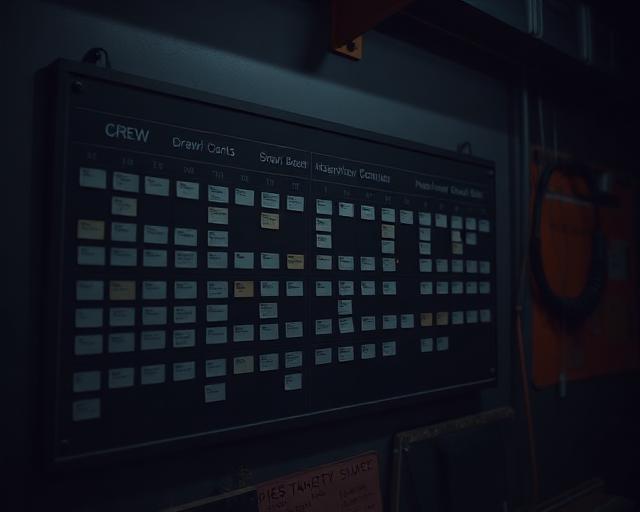
Site supervisor planning crew assignments on a jobsite.

Where the money actually goes 03 — page 3 of 8

Scheduling

If the wrong people are in the wrong place, on the wrong day — your job costing is already in trouble.

A real schedule does more than block seven days for a crew. It turns the tasks and hours you sold into a day-by-day plan: what gets done, who does it, how long it should take, what has to be ready first, and when the next task can start.

  • Put the right people on the right tasks

    Match qualified employees to the work that actually needs to be done.

  • Know who is working where and when

    The office can see the planned job and task for every employee.

  • Avoid gaps, overlaps and idle time

    Build the sequence before the crew is standing around waiting.

  • Protect the margin

    Control the hours and planned RT/OT mix before payroll turns the schedule mistake into real cost.

The 30-second answer

A schedule should not be a block of calendar time. It should show what task is being done, how many hours were estimated for it, who is assigned, when it starts, what must be ready before it starts, and what happens next.

That is how the company controls idle time, overtime, crew conflicts and task-level cost before they become margin problems. Each employee can only be scheduled to one task at a time, and adding or removing people changes the planned elapsed duration of that task.

What it looks like, what it costs, and why it keeps happening

Does this sound familiar?

  • Crews show up and there is nothing ready for them to do.
  • The wrong people get sent to the wrong job or task.
  • Your schedule gets changed an hour after the day’s job starts.
  • The schedule changes, but half the people who need to know are still working from the old plan.
  • You blocked the crew for a week, but nobody can point to the task-by-task plan underneath that week.
  • Overlaps, gaps and unnecessary overtime keep showing up in payroll.

This is what it’s costing you

  • 10 workers
  • × 4 idle / mis-sequenced hours per worker per week
  • × $90 true labour cost per hour
  • × 50 working weeks

$180,000 / year

Roughly $15,000 per month. Illustrative arithmetic example, not a documented client result.

Why the usual way fails

  • A calendar block tells you when the job is booked, not what the crew is supposed to accomplish.
  • A crew-level block does not tell you how many hours belong to each task.
  • It does not show when a scarce specialist is actually needed.
  • It does not show what work must finish before the next task can start.
  • It does not tell purchasing or the foreman when material, drawings or equipment must be ready.
  • When the schedule changes, everyone has to be told again manually.

Why it keeps happening

You just block off days or weeks for the job and call that the schedule.

  • The schedule is a block of time without the crew being assigned to tasks.
  • The quoted task hours never become the production plan.
  • Startable-work conditions are not checked before the work hits the schedule.
  • RT/OT is dealt with after the fact instead of being considered when the work is planned.
  • Changes live in calls, texts, whiteboards or spreadsheets instead of one current schedule.
  • The office cannot compare what was planned to what the field actually did.

If the day is not built at the task level, the crew spends the day building it on the fly.

The PPS + PWP way to build a schedule that protects margin

Profit Pulse System builds the engine. ProjectWatchPRO automates the work.

How to fix it

  1. Start with the master task structure from Task Architect.
  2. Bring the quoted/estimated hours by task forward from Bulletproof Quote.
  3. Sequence the work in the order it actually has to happen.
  4. Assign qualified employees to the task — not just to the job.
  5. Plan start/end times so the intended regular-time / overtime mix is deliberate rather than accidental.
  6. Check startable work before the task is scheduled: drawings, materials, equipment, predecessor work and qualified people.
  7. Use easy drag-and-drop scheduling for editing and changing the schedule.
  8. When the plan changes, update the schedule immediately instead of rebuilding it in texts and phone calls.

The 9 steps of Profit Pulse System

  1. 1Overhead Guru
  2. 2Labor Analyst
  3. 3Burden Builder
  4. 4Task Architect
  5. 5Bulletproof Quote
  6. 6Schedule Master
  7. 7Pulse Monitor
  8. 8Drift Detector
  9. 9Profit Pulse Loop

Used to build profit defense. Orange steps are the ones this page depends on.

Step 4 — Task Architect
Supplies the task structure. You cannot schedule a task that has never been defined.
Step 5 — Bulletproof Quote
Supplies the estimated hours and planned labour by task. Those hours are the benchmark the schedule is built from.
Step 6 — Schedule Master
Turns the tasks and estimated hours into the actual crew, date and time plan.

ProjectWatchPRO gives you

  • A project created from the accepted quote, with the task structure and quoted hours already available.
  • Drag-and-drop scheduling for fast edits and changes.
  • Employee / crew assignment to specific jobs and tasks.
  • The ability to add or remove qualified people and adjust the planned elapsed time.
  • A current schedule the administrator can see for each employee.
  • Schedule updates delivered to each employee’s phone.
  • A schedule that drives the employee toward the correct job and task when they clock in.
  • A task-level plan that can later be compared to actual hours and cost.

What gets better when you fix this

  • The schedule gets updated quicker and employees stay on track.
  • Schedule adjustments get sent to employees’ phones.
  • Fewer people show up before the work is actually ready.
  • Less idle time and less unnecessary overtime.
  • Scarce specialists are used where they are needed instead of being buried in a broad crew block.
  • The office and field work from the same current plan.
  • Cleaner job costing because planned task hours and actual task hours can be compared.
  • More predictable completion dates and stronger margin control.

What you actually see

Live job margin, while the job is still running

Where scheduling shows up in the day-to-day view: quoted margin, margin right now, and the hours behind the number. Representative view.

How the day actually gets built

  1. Task list

    The master task structure from the estimate.

  2. Quoted hours

    Estimated hours by task carried forward.

  3. Startable check

    Drawings, material, equipment, predecessor, qualified people.

  4. Assign crew

    Qualified employees assigned to the task, not just the job.

  5. Drag & drop date and time

    Sequence and timing planned to control RT/OT.

  6. Send updated schedule to phone

    Each employee gets the current plan.

  7. Track actual

    Planned task hours can be compared with actual hours.

Startable work

A task should not hit the schedule until these questions are answered

The schedule built by the office drives each person’s schedule on their phone. When the plan changes, the employee receives the updated schedule rather than a new text thread, and the administrator can see what the employee was scheduled to be doing when reviewing time issues. GPS is used only for geofence verification at clock-in and clock-out — ProjectWatchPRO does not track workers continuously.

  • Is the drawing / scope information ready?
  • Are the required materials on site or committed to arrive before the task starts?
  • Is the equipment / tooling available?
  • Has the predecessor task been completed?
  • Are the qualified people available?
  • Does the planned start/end create unnecessary overtime that could be avoided by changing sequence or crew size?

How much longer can you afford to wait?

  1. Next 30 days~$15,000
  2. Next 60 days~$30,000
  3. Next 90 days~$45,000

Based on the illustrative 10 workers × 4 hours × $90 × 50 weeks example above. Illustrative exposure, not guaranteed recovery. Figures are illustrative examples, not documented client results. We replace them with your numbers during the Profit Recovery Review.

Questions owners ask

Why is a calendar block not a schedule?

A calendar block says someone is busy. A schedule says which task, how many quoted hours it carries and which crew can do it at that cost — which is what protects the margin.

How does crew scheduling affect job profit?

Idle time, re-sequencing and unplanned overtime all burn quoted hours without adding billable progress. Scheduling by task keeps the hours going where the quote allowed for them.

How do you reduce overtime on construction jobs?

Plan the work at task level, put the right crew on the right task, and watch hours used against hours quoted while the job is running instead of after it ends.

What should a task-level schedule show?

The task, the quoted hours, the assigned crew and the sequence. That is enough to see a slip on the day it happens.

Let’s build schedules that protect your margin.

We’ll show you where the schedule is creating idle time, crew conflicts and overtime — and how to turn the tasks and hours you already quoted into a day the crew can actually run.

Once the day is built, the next question is whether the crew can clock into that plan quickly and whether the office can prove where the hours actually went.