
Skip to content
Profit Recovery Review
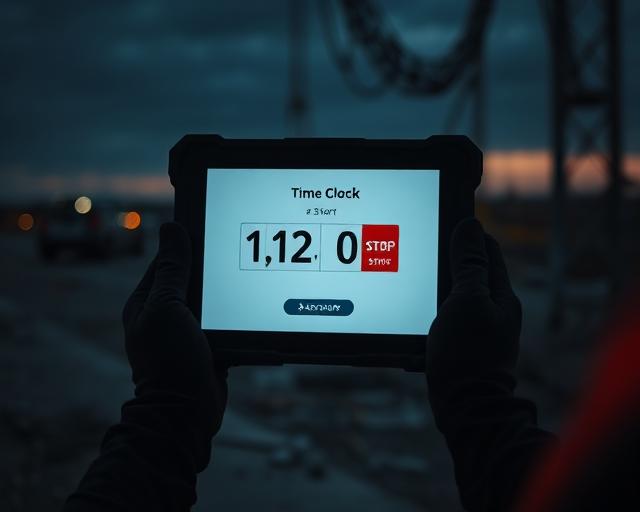
Field worker clocking into a task on a mobile device on site.

Where the money actually goes 04 — page 4 of 8

Time Tracking

If time isn’t captured on the right task, your costs, margins, and decisions are built on guesswork.

Paper timesheets, memory-based entries, and vague job codes don’t show the real story. Accurate time tracking at the task level is what turns the schedule into actual job cost — while there is still time to fix mistakes.

  • Track the right work

    Capture time to the correct job and task, not just the company payroll total.

  • Know what’s really happening

    See who is on what and correct bad entries while the day is still fresh.

  • Stop unbilled hours

    Keep approved extra work separate so the hours do not disappear into the original job.

  • Protect your margins

    Accurate time feeds accurate labour cost, job cost and live profit.

The 30-second answer

Accurate field time should be captured as close to real time as practical, tied to the correct employee, project and task or cost code.

The crew should not have to reconstruct the week from memory, and the office should not have to re-key or guess where hours belong. The schedule is already on each employee’s phone, the employee clocks into the scheduled work, and GPS is used only to verify the employee is at the work location at clock-in and clock-out — ProjectWatchPRO does not track workers continuously.

What it looks like, what it costs, and why it keeps happening

Does this sound familiar?

  • Timesheets are filled out at the end of the week — or later.
  • People remember the total hours but cannot remember the right task.
  • Time is posted to the job, but not to the task or cost code that actually used the hours.
  • The crew moves between jobs and tasks and the office finds out after payroll.
  • Extra work gets mixed into the original project or found too late to bill cleanly.
  • You only discover the bad time when job costing or month-end numbers do not make sense.

This is what it’s costing you

  • 8 field employees
  • × 1 hour per employee per day mis-coded, delayed or not recoverable
  • × $90 true labour cost per hour
  • × 250 working days

$180,000 / year

Roughly $15,000 per month of paid time whose job/task cost or billability cannot be trusted. Illustrative arithmetic example, not a documented client result.

Why the usual way fails

  • Paper or spreadsheet time arrives after the work has already moved on.
  • Memory-based entry turns a real workday into an estimate.
  • A single job code cannot explain which task consumed the hours.
  • If the crew has to hunt through long lists or too many screens, adoption drops.
  • When the office re-keys time, another chance for error is added.
  • Bad time gets corrected after payroll instead of while the employee and foreman still remember what happened.

Why it keeps happening

Time is treated as payroll data first and job-cost data second.

  • The task structure is not simple enough for the field.
  • The schedule is not tied to the employee’s time-entry choices.
  • The system asks the employee to rebuild the day instead of clocking into the work already scheduled.
  • There is no same-day review rhythm for missing, wrong or unassigned time.
  • Office and field are working from different versions of what was supposed to happen.

If the time does not land on the right employee, project and task while the work is fresh, every number after it gets weaker.

The PPS + PWP way to capture time that builds true cost

Profit Pulse System builds the engine. ProjectWatchPRO automates the work.

How to fix it

  1. Build one clear task structure first so everyone uses the same language.
  2. Build the task-level schedule before the day starts.
  3. Send each employee their schedule so the correct job and task is already in front of them.
  4. Make clock-in simple from the mobile app or kiosk.
  5. Capture time as close to real time as practical instead of rebuilding the week from memory.
  6. Tie every hour to the correct employee, project, task and cost code.
  7. Review missing or wrong entries the same day and correct them before payroll.
  8. When approved extra work exists, clock the time to the linked sub-project rather than burying it in the original job.

The 9 steps of Profit Pulse System

  1. 1Overhead Guru
  2. 2Labor Analyst
  3. 3Burden Builder
  4. 4Task Architect
  5. 5Bulletproof Quote
  6. 6Schedule Master
  7. 7Pulse Monitor
  8. 8Drift Detector
  9. 9Profit Pulse Loop

Used to build profit defense. Orange steps are the ones this page depends on.

Step 4 — Task Architect
Creates the task and cost-code structure the employee must clock into.
Step 6 — Schedule Master
Puts the right job and task in front of the right employee at the right time.
Step 7 — Pulse Monitor
Turns the captured time into live visibility so missing or wrong hours can be corrected early.

ProjectWatchPRO gives you

  • Each employee’s scheduled work delivered to their phone.
  • Simple mobile app and kiosk clock-in / clock-out.
  • Hours by employee, project, job and task or cost code.
  • Individual true labour cost attached to actual employee time entries.
  • Live visibility into who is clocked in and what they are working on.
  • Geofence verification at clock-in and clock-out to confirm the employee is at the work location.
  • Time-entry editing and correction before payroll.
  • Reports such as Time for Job, Time for Job Summary, Time Card and One Worker Any Day.
  • Clean field-to-office time data that feeds live job costing and margin visibility.

What gets better when you fix this

  • The hours and the labour cost land on the right job and task.
  • Job costing becomes more accurate and easier to trust.
  • Bad entries are caught while the crew still remembers the day.
  • Less office cleanup and fewer payroll corrections.
  • Extra work is easier to prove and bill when it is tracked separately.
  • Actual hours can be compared to the quoted benchmark sooner.
  • Live Job Profit and Profit Drift become more useful because the actual data is cleaner.
  • Owners and foremen spend less time arguing about where the hours went.

What you actually see

Live job margin, while the job is still running

Where time tracking shows up in the day-to-day view: quoted margin, margin right now, and the hours behind the number. Representative view.

Schedule → clock → review → cost

The employee should not have to recreate the job plan in the time-entry screen.

  1. Task structure

    The master task and cost-code list the field clocks into.

  2. Employee schedule

    The planned job and task arrives on the employee’s phone.

  3. Clock into job / task

    One clock-in from the mobile app or kiosk.

  4. Geofence verify location

    GPS confirms the employee is on location at clock-in and clock-out only.

  5. Actual time + labour cost

    Individual true labour cost attaches to the actual entry.

  6. Same-day review

    Missing or wrong entries are corrected before payroll.

  7. Live job cost

    Clean actuals feed live job costing and margin.

Startable work

Where approved extra work goes

The schedule from the previous page is the starting point. It drives the employee’s personal schedule on the phone and gives the administrator a reference for what the employee was supposed to be doing, which removes the ambiguity when an entry is missing or lands on the wrong task. Quote future work with the approved company-average labour burden rate; use the individual employee’s rate once the work is actually being performed.

  • Approved extra work becomes a linked sub-project.
  • Employees clock that time to the sub-project, not the original job.
  • The original project and the extra work stay economically separate.
  • The hours can be proven and billed instead of quietly absorbed.

How much longer can you afford to wait?

  1. Next 30 days~$15,000
  2. Next 60 days~$30,000
  3. Next 90 days~$45,000

Based on the illustrative 8 employees × 1 hour × $90 × 250 days example above. Illustrative exposure, not guaranteed recovery. Figures are illustrative examples, not documented client results. We replace them with your numbers during the Profit Recovery Review.

Questions owners ask

Why does job costing depend on time tracking?

Every labour figure in job cost comes from captured time. If hours land on the wrong project or the wrong task, the cost report and the live margin are both wrong.

What is task-level time tracking?

Field time recorded against the employee, the project and the specific task — not just a daily total. It is what lets you compare hours used with hours quoted for that task.

How soon should field hours be entered?

While the day is still fresh. Time recalled at the end of the week is rounded time, and rounded time hides the small overruns that add up.

Can time tracking show a job losing money?

Yes — once hours are tied to tasks, hours used against hours quoted is usually the first visible sign that a job is drifting.

Let’s get your time tracking right.

We’ll show you where hours are being lost, mis-coded or cleaned up after the fact — and how to get the right time onto the right job and task while the day is still fresh.

Once the actual hours and costs are clean, you can finally answer the question that matters: is this live job still making the money you quoted?