
Skip to content
Profit Recovery Review
Field supervisor comparing quoted margin against current job costs on a tablet at the work face.

Where the money actually goes 06 — page 6 of 8

Profit Drift

Margin won in the quote can be lost a little every day.

Profit drift happens when the job slowly moves away from the plan — without anyone noticing until it is too late. ProjectWatchPRO shows you the drift, how much it is costing, and exactly where to act while the work is still open.

  • See drift early

    Catch small issues before they become big losses.

  • Know what’s causing it

    Pinpoint the tasks, employees and costs driving the drift.

  • Know what it’s costing you

    See the real dollar impact on margin and profit.

  • Act with confidence

    Correct the right things and protect the margin you quoted.

The 30-second answer

A contractor can see profit drift by keeping the accepted quote as the benchmark and comparing current actual hours and true costs by job and task to the quoted hours, dollars, charge-out and margin while the job is still live, then acting on the largest variances before the work is finished.

Live Job Profit answers where the job is right now. Profit Drift answers whether the job is moving away from what was quoted — by how much, and where the movement is coming from.

What it looks like, what it costs, and why it keeps happening

Does this sound familiar?

  • The job looked good — now the margin is slipping.
  • Small overruns keep stacking up and no one says anything.
  • Reports come too late to change the outcome.
  • You find out after the fact, never during the job.
  • The team sees the total job, but not the task or person driving the movement.
  • Nobody owns the numbers until payroll, month-end or the job review.

This is what it’s costing you

  • One $1,250,000 job
  • quoted 20.0% = $250,000, now 11.6% = $145,000

$105,000

Margin drift of 8.4 points = $105,000 of quoted profit at risk if the drift is not corrected. Illustrative margin-loss example, not a guaranteed recovery claim. Drift ignored is profit gone.

Why the usual way fails

  • There is no live visibility into cost against the quote benchmark.
  • Problems are hidden in the noise of daily activity.
  • Hours, overtime, materials, outside cost and extra work are reviewed in different places or at different times.
  • Month-end reports and occasional spreadsheets show the damage after the job has already moved on.
  • Too much data arrives after the fact and not enough tells the team where to act now.

Why it keeps happening

The quote benchmark and actual field execution are not compared at the same job and task level often enough.

  • The leak is usually small and scattered: hours, overtime, labour mix, task productivity, materials, outside cost and extra work.
  • The quote lives in one place while field time and current cost live somewhere else.
  • Nobody owns the numbers until payroll, month-end or the job review.
  • By the time a report confirms the movement, the labour has already been paid.

You can’t manage what you don’t see.

The PPS + PWP way to stop profit drift

Profit Pulse System builds the engine. ProjectWatchPRO automates the work.

How to fix it

  1. Define the plan — hours, cost, charge-out and margin — before the work starts.
  2. Keep the accepted quote as the benchmark.
  3. Track actual true cost and actual hours to the right job and task while the work is happening.
  4. Compare current execution to the quote throughout the day and week.
  5. Spot the drift early.
  6. Find the real cause: extra hours, labour mix, overtime, task productivity, material, outside cost or extra work.
  7. Correct the cause while there is still work left.
  8. Protect the margin and carry the lesson into the next job.

The 9 steps of Profit Pulse System

  1. 1Overhead Guru
  2. 2Labor Analyst
  3. 3Burden Builder
  4. 4Task Architect
  5. 5Bulletproof Quote
  6. 6Schedule Master
  7. 7Pulse Monitor
  8. 8Drift Detector
  9. 9Profit Pulse Loop

Used to build profit defense. Orange steps are the ones this page depends on.

Step 5 — Bulletproof Quote
Supplies the benchmark this page measures against — essential, but not one of the live drift-control steps highlighted here.
Step 7 — Pulse Monitor
See current time, cost and job economics while the project is open.
Step 8 — Drift Detector
Identify the job, task or cost movement away from the benchmark.
Step 9 — Profit Pulse Loop
Assign the correction, verify it worked, and update the standard where needed.

ProjectWatchPRO gives you

  • Estimated / quoted vs actual hours by job and task.
  • Estimated / quoted vs actual dollars by job and task.
  • Quoted margin vs current margin.
  • Actual true cost vs charge-out comparison.
  • Hours-used % and dollars-used % where available in the current production view.
  • Job / task / cost-code detail to help isolate the source of the gap.
  • Current project dashboard economics refreshed every 60 seconds.
  • One project view connecting the quote benchmark to current field execution.

What gets better when you fix this

  • Margins have a better chance to stay on track.
  • Small issues are caught before they become large losses.
  • The owner and foreman know which job and task deserves attention first.
  • Better decisions happen faster because everyone is looking at the same current numbers.
  • Corrective action happens while the job can still be changed.
  • Fewer end-of-job and month-end surprises — more of the margin quoted can survive the job.

What you actually see

Live job margin, while the job is still running

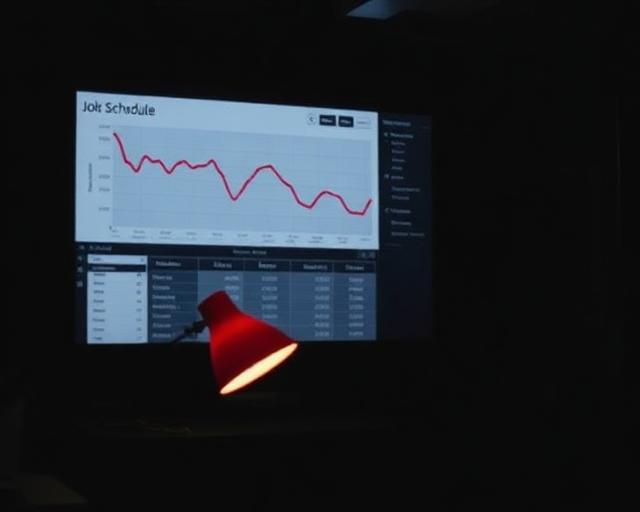
Where profit drift shows up in the day-to-day view: quoted margin, margin right now, and the hours behind the number. Representative view.

Monitor → detect → correct

The accepted quote sets the standard. Actual execution is costed with the real employee’s labour logic and compared back to it across the open job — not only in a final after-the-fact result.

  1. Quote benchmark

    Planned task hours and quote economics, using the approved company-average LBR because the exact future employee may not yet be known.

  2. Actual execution

    Real employee time costed with that employee’s individual true labour cost; materials, expenses and third-party cost included.

  3. Hours compared

    Quoted / estimated hours vs actual hours by job and task.

  4. Dollars compared

    Quoted / estimated dollars vs actual dollars on the same structure.

  5. Margin compared

    Quoted / estimated margin vs current margin across the open job.

  6. Cost vs charge-out

    Actual true cost measured against what the work is charged at.

  7. Current view

    Project dashboard refreshed every 60 seconds — while you can still do something about it.

Startable work

What it costs to keep ignoring it

Illustrative example only — the same internally consistent $105,000 example used across this page, not a client result.

  • On a $1.25M job, 8.4 margin points of drift = $105,000 of quoted profit at risk.
  • Repeat that across two similar jobs and the exposure is $210,000.
  • Across three similar jobs, it is $315,000.
  • Drift is silent. The damage isn’t.

How much longer can you afford to wait?

  1. Next 30 days~$35,000
  2. Next 60 days~$70,000
  3. Next 90 days~$105,000

Illustrative linear pace of the $105,000 drift across a 90-day job — next 30 / 60 / 90 days. Real drift does not necessarily occur evenly over time. Figures are illustrative examples, not documented client results. We replace them with your numbers during the Profit Recovery Review.

Questions owners ask

What is profit drift on a construction job?

Profit drift is the gap that opens between quoted margin and current margin while the job is running — usually hours, extras or cost creep, not one large event.

How do you catch margin slipping early?

Compare quoted margin with current margin continuously and drill into the tasks behind the change, instead of waiting for the closeout report.

Why is drift usually invisible until closeout?

Because most reporting is monthly or post-job. By then the hours are spent and the only remaining option is to explain the loss.

What do you do once drift is detected?

Find the task causing it, correct the plan, crew or scope, and confirm the margin moves back. Detection without a correction step changes nothing.

Let’s protect your profit before it drifts away.

Real-time visibility catches the issue early enough to act. We’ll show you where the margin is moving, what is causing the gap, and which part of the job you can still change.

One of the fastest ways to create hidden drift is to let added work disappear into the original job. Next: separate the change, track it, and bill it.